How to Remove Vocals From a Song With Reverb
A singer’s last word can leave a faint trail in the backing track even after the main voice has gone. Here’s how to check that spot, compare two Demucs outputs and decide whether to run a second split.
Compare the same excerpt three ways
Switch tracks at the same moment. Use the jump button to start just before the singer trails off.
California Lullabye by Josh Woodward, CC BY 3.0 US. Excerpt trimmed and separated with Demucs.
What changed around 0:19
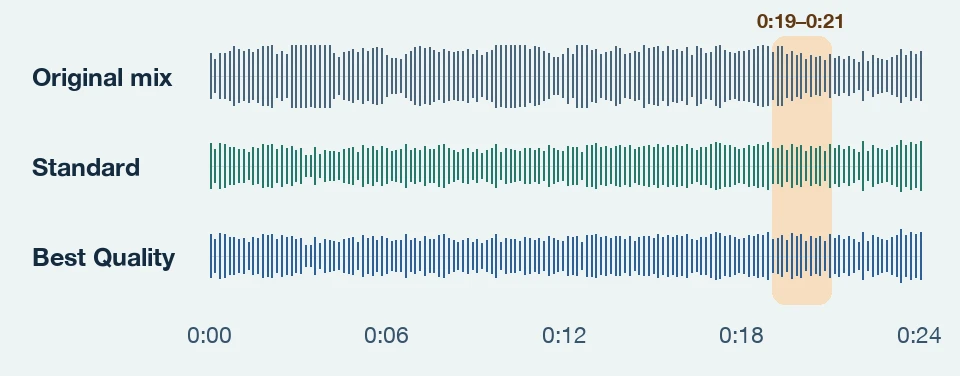
The singing drops away in both instrumentals. The two passes are almost equally close to the artist’s backing track over the full excerpt. Standard is slightly closer around the highlighted phrase.
Why the last syllable can survive the split
Reverb carries traces of the voice into the next beat. A sustained guitar or pad can overlap that tail. Switch back to the original to check whether a faint sound came from the mix or the separation.
Tell a vocal tail from a sound in the backing
- You can make out a syllable
- Line it up with the word in the original. If the articulation lines up, start by treating it as vocal bleed and compare both model outputs at that spot.
- A wash fades after the singer stops
- Listen for a smooth decay or a quieter repeat of the last word. Check both stems. The direct voice may be in the vocal file while part of its effect is still in the backing.
- The sound repeats in a gap without singing
- Compare it with the same chord or beat elsewhere in the original. A repeating guitar, pad or cymbal can sound like a tail in isolation. Keep that part of the backing if it belongs to the arrangement.
In this example, select a track and use the 0:19 jump. Listen through 0:21, then repeat with the next track to compare the same two seconds.
Try this on your own recording
- Mark a phrase ending on the original mix.
- Run Standard in the vocal splitter. Solo both tracks and listen for bleed at your marker.
- If the trace is distracting, try Best Quality on the same file. Compare the tracks at the same spot and volume.
- Lower the gain in short gaps if needed. If the tail overlaps sustained instruments, use the original session’s backing track when you can get it.
Try a small edit before you rerun the whole song
If the trace falls in a gap with little backing, lower the volume just over the tail and add short fades at the edges. Then play across the edit at normal level. If it cuts into a chord or cymbal decay, keep more of the original output and compare another split before making a deeper cut.
How we ran the comparison
We took 1:04–1:28 from the same recording and ran the upstream Demucs 4.0.1 CLI locally in two-stem vocal mode, using Standard (htdemucs) and Best Quality (htdemucs_ft). Both runs used the same input, with random shifts disabled so the comparison can be reproduced. We used the same MP3 settings for the listening files and applied no extra level matching after separation. This is a single excerpt comparison of the model variants used by Demucs.net.
As a cross-check, we aligned both outputs to the artist’s released instrumental and measured the RMS level of the difference. This includes changes to the instruments and other artifacts as well as vocal residue.
| Window | Standard | Best Quality |
|---|---|---|
| Full excerpt | −23.34 | −23.38 |
| 0:19.5–0:20.5 | −26.45 | −25.80 |