AI stem splitter · Demucs v4 on cloud GPUs
Stem Splitter: Separate Any Song Into Vocals, Drums, Bass and More
Demucs.net is an AI stem splitter built on Demucs v4, the open-source music source separation model from Meta AI Research. Upload a song and the stem splitter returns vocals, drums, bass and other as separate stems, or six stems with guitar and piano. No install, no GPU of your own.
30 free credits every month · No card needed · Uploads auto-deleted
30 free credits every month · No card needed · Uploads auto-deleted
Hear the AI Stem Splitter on a Real Song
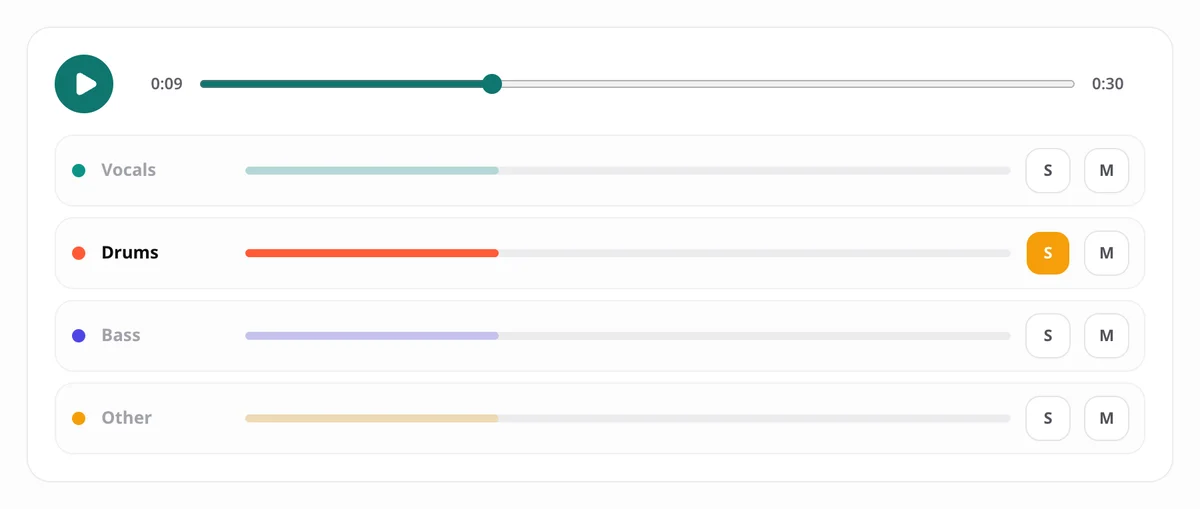
This is a real split from our AI stem splitter: a Creative Commons song separated into four stems with the standard Demucs v4 model. Press play, then solo or mute each stem to hear how cleanly the stem splitter pulls the parts apart.
- Vocals
- Drums
- Bass
- Other
What Is a Stem Splitter?
A stem is one part of a song on its own track: the lead vocal, the drum kit, the bass line. A stem splitter takes a finished, mixed song and separates it back into those stems, so you can hear, remove or reuse each part. The process is also called stem separation or music source separation.
Older tricks, such as cancelling whatever sits in the centre of a stereo mix, could only remove a centred vocal, and they took the kick and bass with it. An AI stem splitter works differently: the model has learned what drums, bass and voices sound like, and it rebuilds each one as its own stem. Demucs v4 reads a song both as a waveform and as a spectrogram, which keeps drum hits sharp and vocals natural. On the MUSDB18-HQ benchmark its fine-tuned model scores 9.0 dB of signal-to-distortion ratio, against 5.9 dB for Spleeter.
4 Stems or 6: What This Stem Splitter Gives You
4 Stems: Vocals, Drums, Bass and Other
The standard split. Each stem covers one role in the mix: vocals, drums, bass, and an other stem that holds everything else, from guitars and keys to strings and synths. Four stems is the right stem mode for most songs and the cheapest per minute.
6 Stems: Guitar and Piano on Their Own
Choose the six-stem model and the AI stem splitter also takes a guitar stem and a piano stem out of the other stem. It costs a little more and runs a few seconds longer. The model's authors note that the piano stem is the weakest of the six, so check it in the player before you rely on it.
2 Stems: Vocals and Instrumental
If you only need the voice or only the backing track, a two-stem split is faster and cheaper. Our vocal remover opens with that stem mode already selected.
How to Split a Song Into Stems
1. Upload Your Song
Drop in an MP3, WAV, FLAC, M4A, AAC or OGG file. On a free account the AI stem splitter takes songs up to 6 minutes and 50 MB; paid plans allow 15 minutes and 200 MB.
2. Choose a Model and Stem Count
Pick four stems, six stems, or two for vocals and instrumental. The AI stem splitter shows the credit cost before anything starts.
3. Preview Each Stem, Then Download
Solo and mute every stem in the built-in stem player, then save them one by one or as a ZIP of 320 kbps MP3 files.
Which Model Should the AI Stem Splitter Use?
All three models are Demucs v4. They trade speed and cost for quality and stem count. Times and credits are for a 4-minute song.
| Model | Stems | Time | Cost | Best for |
|---|---|---|---|---|
| Standard (htdemucs) | 2 or 4 | about 20 seconds | 4 credits (3 for two stems) | Most songs |
| Best quality (htdemucs_ft) | 2 or 4 | about 32 seconds | 7 credits (5 for two stems) | Remixes and releases |
| 6 stems (htdemucs_6s) | 2, 4 or 6 | about 25 seconds | 6 credits | Guitar and piano parts |
Times were measured on our cloud GPUs in September 2026. The first job after a quiet spell can take up to a minute longer while the model warms up. One credit covers about one minute of audio on the standard model.
What Producers Do With an AI Stem Splitter
Remixes and DJ Edits
Pull the vocal stem for a remix, or drop the drum stem out of a chorus for a live edit. Every stem the AI stem splitter returns stays in time with the original song.
Sampling
Isolate a drum break, a bass riff or a piano phrase and load that stem straight into your sampler or DAW.
Learning and Transcribing Parts
Solo the bass stem to learn a line by ear, or mute the guitar stem and play the part yourself over the rest of the band.
Mixing Reference
Hear how a finished record balances its parts by comparing each stem, from the kick to the lead vocal, against your own mix.
Tips for Cleaner Stems
- Start from the best copy you have. A WAV, a FLAC or a 320 kbps MP3 gives the AI stem splitter more to work with than a low-bitrate rip.
- Avoid files that have been converted many times; each round of compression adds artifacts the model cannot tell apart from music.
- Audition a song on the standard model, then use Best quality for anything you will release.
- Pick six stems only when you need guitar or piano on their own; otherwise four stems are cleaner and cheaper.
- Expect a little bleed on dense mixes and heavy reverb. Every AI stem splitter has limits, and the stem player lets you hear them before you download.
AI Stem Splitter vs Running Demucs Yourself
| Demucs on your computer | Demucs.net stem splitter | |
|---|---|---|
| Setup | Python, PyTorch and CUDA drivers | Nothing, it runs in a browser |
| Hardware | A GPU with about 7 GB of memory | Cloud GPUs included |
| Time for a 4-minute song | Around 6 minutes on a CPU | About 20 seconds on the standard model |
| Cost | Free on your own hardware | 30 free credits a month, then pay per minute |
If you are comfortable in a terminal and own a strong GPU, running Demucs yourself is free. For everyone else, an AI stem splitter in the browser is the quickest way from a song to stems.
Stem Splitter FAQ
Is this AI stem splitter free?
Yes, to start. Every account gets 30 free credits a month once you sign in with Google or confirm your email, which covers about seven four-stem splits of a 4-minute song. No card is needed.
How many stems can the AI stem splitter make?
Two (vocals and instrumental), four (vocals, drums, bass and other) or six, which adds a guitar stem and a piano stem.
Which model gives the cleanest stems?
The Best quality model, htdemucs_ft, a fine-tuned version of Demucs v4. It takes about 60% longer and costs 1.6 times the credits of the standard model.
How good are the guitar and piano stems?
Usable on many songs, but less consistent than the four main stems. The model’s authors note that the piano stem is the weakest of the six, so listen in the stem player before you download.
What formats can I upload and download?
Upload MP3, WAV, FLAC, M4A, AAC or OGG. Each stem downloads as a 320 kbps MP3, one by one or as a ZIP. WAV and FLAC downloads are not available yet.
How long are my stems kept?
24 hours on the free plan and 7 days on paid plans, then they are deleted. The song you upload is deleted as soon as the split finishes.
Is my audio used to train AI models?
No. Your song is used only to make your stems. Nobody listens to it, and it is never used for training.
Can I paste a YouTube link?
No. The AI stem splitter only works on files you upload, and you need the right to process them.
Can I use the stems commercially?
The rights to a recording stay with whoever owns it, and splitting a song does not give you new rights to it. The Demucs code is MIT-licensed and the pretrained weights carry their own dataset terms; our licensing page explains the details.
Split Your First Song Free
Upload a song and hear what the Demucs v4 AI stem splitter can do. 30 free credits every month, no card needed.
Split a Song FreeOnly need the vocals or the backing track? Try the vocal remover.